1 in 3 Dental Practices Have Been Hacked. Here's Your Defense Playbook.
Over a third of dental practices have been breached. The Change Healthcare incident affected 192.7M people. Your 40-item defense checklist is inside.
HHS OCR fined a dental practice software vendor $10,000 after it exposed names, phone numbers, addresses, dates of birth and appointment data belonging to roughly 15 million people. That is about seven hundredths of a cent per exposed person, and OCR's own settlement says the company never conducted a risk analysis and never told the affected dental practices, according to GovInfoSecurity's reporting on the MMG Fusion settlement. Read that again as an owner: the entity that lost your patient list paid less in penalties than you spend on a single intraoral scanner service contract, and the phone calls from angry patients still came to your front desk.
So here is our view, stated up front so you can argue with it. If you have a cybersecurity budget this year, spend almost none of it on more staff phishing training and nearly all of it on three things: vendor diligence before you sign, contract language that moves breach costs off your P&L, and the tested ability to run your practice for two weeks with no network. Phishing training is cheap, mandatory, and mostly beside the point, because the breaches actually taking dental practices offline are not arriving through your hygienist's inbox. They are arriving through software you already pay for.
We Won't Defend the One-in-Three Number
The headline figure gets thrown around in every cybersecurity pitch deck that lands in a practice owner's inbox, and nobody selling it will show you a denominator. We're not going to pretend we have one either. What is documented is more useful than a ratio anyway.
Hacking and IT incidents have been the leading cause of U.S. healthcare data breaches since 2015, surpassing theft, improper disposal and unauthorized access or disclosure, per Nalliah and Praveen in the Journal of Dental Education. That same paper points at the August 2023 cyberattack on the University of Michigan School of Dentistry, which hit patients, students, alumni and employees at once, as its case study in dental-sector exposure. The category shift matters more than any percentage. Theft and improper disposal are local, bounded events: a laptop goes missing, a records box gets tossed. Hacking scales. One compromise at a vendor touches every practice on that vendor's platform simultaneously, which is why the dental breach pattern now looks like clusters rather than one-offs.
Look at the cluster. HIPAA Journal documented a run of distinct 2026 dental practice breaches reported to HHS: Bayside Dental at 10,216 patients, Stafford Oral Surgery at 7,019, Aldrich Pediatric Dentistry at 5,900, Garrisonville Dental at 5,204, plus two locations of Drs. Abdelbaky, Boes, Cameron & Associates at 908 and 547, with the last pair tied to a shared third-party vendor incident, according to HIPAA Journal. Add them up and that's 29,794 patients across six practices that each thought of themselves as too small to be a target.
None of those practices are large enough to employ a security director. All of them now own the notification obligation.
The Breach That Closes Your Schedule Arrives With a Logo You Already Trust
February 2024 is the cleanest proof available. The Change Healthcare ransomware attack disrupted dental practices nationwide and stopped many dentists from submitting electronic insurance claims and attachments for payment, per the ADA's own reporting. Nobody breached those practices. Their firewalls held. Their staff clicked nothing. Their revenue cycle stopped anyway, because a clearinghouse they never chose directly sat between their production and their deposits.
And if you think professional sophistication is the defense, note who else got hit. The American Dental Association, representing 161,000 dentist members, was attacked by the Black Basta ransomware group in April 2022, with roughly 2.8GB of stolen data including W2 forms, NDAs, accounting spreadsheets and member information leaked, while Aptify, email, phone and web chat systems went down, as GovInfoSecurity reported. The organization that writes the guidance lost its own phones.
That's the line worth texting to your partner tonight: the attack that empties your schedule will not come through a stranger's email, it will come through a vendor whose invoice you already approve every month.
What Most Owners Get Wrong: Buying the Training and Skipping the Contract
The specific mistake, and it is near-universal among owner-dentists running one to four locations, is treating an annual HIPAA training module plus a cyber insurance certificate as a security program, while signing every vendor agreement as-is because the practice management rep sent it over as a PDF and the office manager needed the software live by Monday.
We see the same three symptoms in nearly every practice that has never had an incident:
- No business associate agreement on file for at least one vendor with live access to patient data. Usually it's the one handling recall texts, online scheduling, or imaging storage.
- No current risk analysis. OCR cited exactly this failure in the MMG Fusion settlement, and it's the first document a regulator asks for after an incident, not the last.
- No written answer to the question "how do we treat 28 patients and bill them if the network is down for nine days?" Not a bad answer. No answer.
Owners defend the gap by pointing at scale: we're a two-chair practice in a town of 14,000, who would bother. That reasoning was sound when the threat was somebody stealing a laptop from the parking lot. It is now actively dangerous, because attackers aren't targeting your practice. They're targeting the platform that serves 3,000 practices, and you're collateral in a transaction you aren't party to. Garrisonville Dental's 5,204 patients did not get breached because the practice was interesting.
Twelve Days of Held Claims Is $60,000 You Already Earned
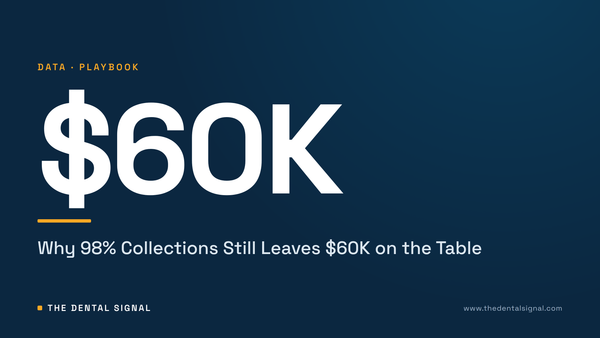
Run the arithmetic on a practice collecting $1,840,000 a year across 184 clinical days. That's $10,000 of collections per clinical day. Call insurance 50% of that mix, so $5,000 per day flows through a clearinghouse rather than arriving as patient payment at checkout. A three-week claims disruption, roughly 12 clinical days, strands $60,000 of already-produced, already-collectible revenue.
The production happened. The crowns are seated. The money just sits in a queue, and your payroll, rent and lab bills do not sit with it. Say fixed overhead runs $92,000 a month on that practice; 12 clinical days of operating cost is about $42,400 that still clears your account on schedule. That's the real exposure: not the breach fine, the float.
Now price the notification side on a 6,000-patient practice, using numbers you should quote yourself rather than trust from anyone's whitepaper. Print and first-class mail at $1.10 per notice is $6,600. Credit monitoring offered at $12 per enrollee with 10% uptake adds $7,200. Forensics and breach counsel at a conservative $35,000 brings the visible total to $48,800 before you count a single canceled appointment. Stack that on top of the float problem and a mid-size single-location practice is looking at a six-figure cash event triggered by a vendor's missing risk analysis.
Against that, two weeks of operational continuity planning and a lawyer's four hours on a software agreement is the cheapest money in dentistry. We'd spend it before the next piece of imaging equipment.
Five Clauses We Wouldn't Sign a Vendor Agreement Without
This is where you have the most bargaining power, because you negotiate it once and it pays out during the worst week of your business life. Our call: no software touching patient data goes live without these in writing.
- Notification to you in 72 hours, named in the contract. OCR's finding against MMG Fusion included failure to notify the affected dental practices. Your statutory clock runs whether or not your vendor calls you.
- A dated risk analysis, on request, no older than 12 months. If they won't produce one, they don't have one. That is the entire diligence process and it takes one email.
- Breach-cost indemnity that isn't capped at 12 months of fees. A vendor charging you $700 a month is offering an $8,400 ceiling on a $48,800 problem. We wouldn't take that deal.
- Data export in a usable format within five business days, at no charge, on demand. Your patient list is your enterprise value. If you cannot get it out, you do not own it.
- Termination without penalty after a reportable breach. Otherwise your punishment for their failure is 26 more months of subscription.
Pair that with the thing no contract can do for you: a paper day. One day a year, run the morning huddle, two hygiene columns and checkout as if the server is gone. Printed schedule, paper routing slips, manual card terminal, written treatment notes to be entered later. Practices that have done this once recover in days. Practices that haven't lose the first 48 hours deciding who is allowed to decide.
Do This Before Friday
Pull every vendor with access to patient data into one list, then flag the ones with no business associate agreement on file; that list is usually shorter than owners fear and always longer than they guess. Email each one a two-line request for their most recent risk analysis date and their contractual breach notification window, and treat non-answers as answers. Book the paper day on the schedule now, in a light week, because it will never happen as an aspiration. Then open your clearinghouse agreement and find out, specifically, how you would submit claims if that single vendor went dark for three weeks.
What we're tracking next: whether the 2026 breach cluster reported to HHS keeps tracing back to shared third-party vendors, and whether OCR raises its settlement numbers enough to make vendor security a pricing input rather than a marketing bullet. A $10,000 fine for 15 million records tells every platform that diligence is optional. If that number moves by an order of magnitude, the contract terms above get easier to win and this entire playbook gets cheaper to run. Until then, assume the enforcement is yours to do at signing.
Downtime and breach response are overhead events that hit a fixed-cost base you've already committed to. If you want to see what 12 stranded clinical days would actually do to your practice, put your own collections, insurance mix and fixed monthly overhead into The Dental Signal overhead calculator and run your own numbers. The figure that matters is not your overhead percentage in a normal month; it's how many days of payroll, rent and lab you can cover with claims frozen.